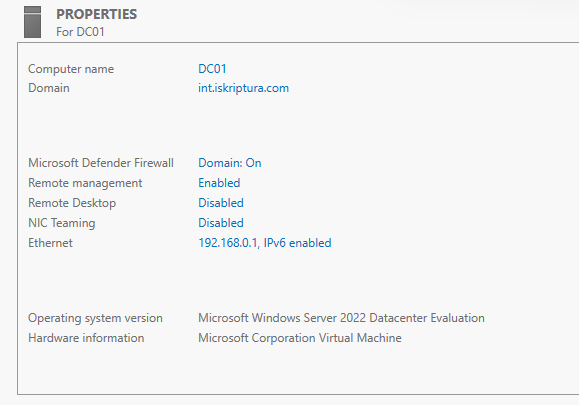
Changed Computer Name to "DC01"
Changed Ethernet to "192.168.0.1"
Add roles and features:
Installation Type: Role-based or feature-based installation
Server Selection: Select destination server
Server Roles: Active Directory Domain Services
Features:
AD DS:
- AD DS stores information about users, computers, and other devices on the network. AD DS helps administrators securely manage this information and facilitates resource sharing and collaboration between users.
- To help ensure that users can still log on to the network in the case of a server outage, install a minimum of two domain controllers for a domain.
- AD DS requires a DNS server to be installed on the network. If you do not have a DNS server installed, you will be prompted to install the DNS Server role on this machine.
Install
Post-deployment Configuration: Promote this server to a domain controller
Active Directory Domain Service Domain Configuration Wizard
Split-Brain DNS
Domain Configuration
Add a new forest
Root domain name
Domain Controller Options
Forest functional level
Domain functional level
Domain controller capabilities
Domain Name System (DNS) server
Global Catalog (GC)
Directory Service Restore Mode (DSRM): 5KC
DNS Options
Create DNS Delegation
Additional Options
NetBIOS domain name: ISKRIPTURA [Login Screen Sign in to: ISKRIPTURA]
Paths
Review Options
Prerequisites Check
Installation
Results